

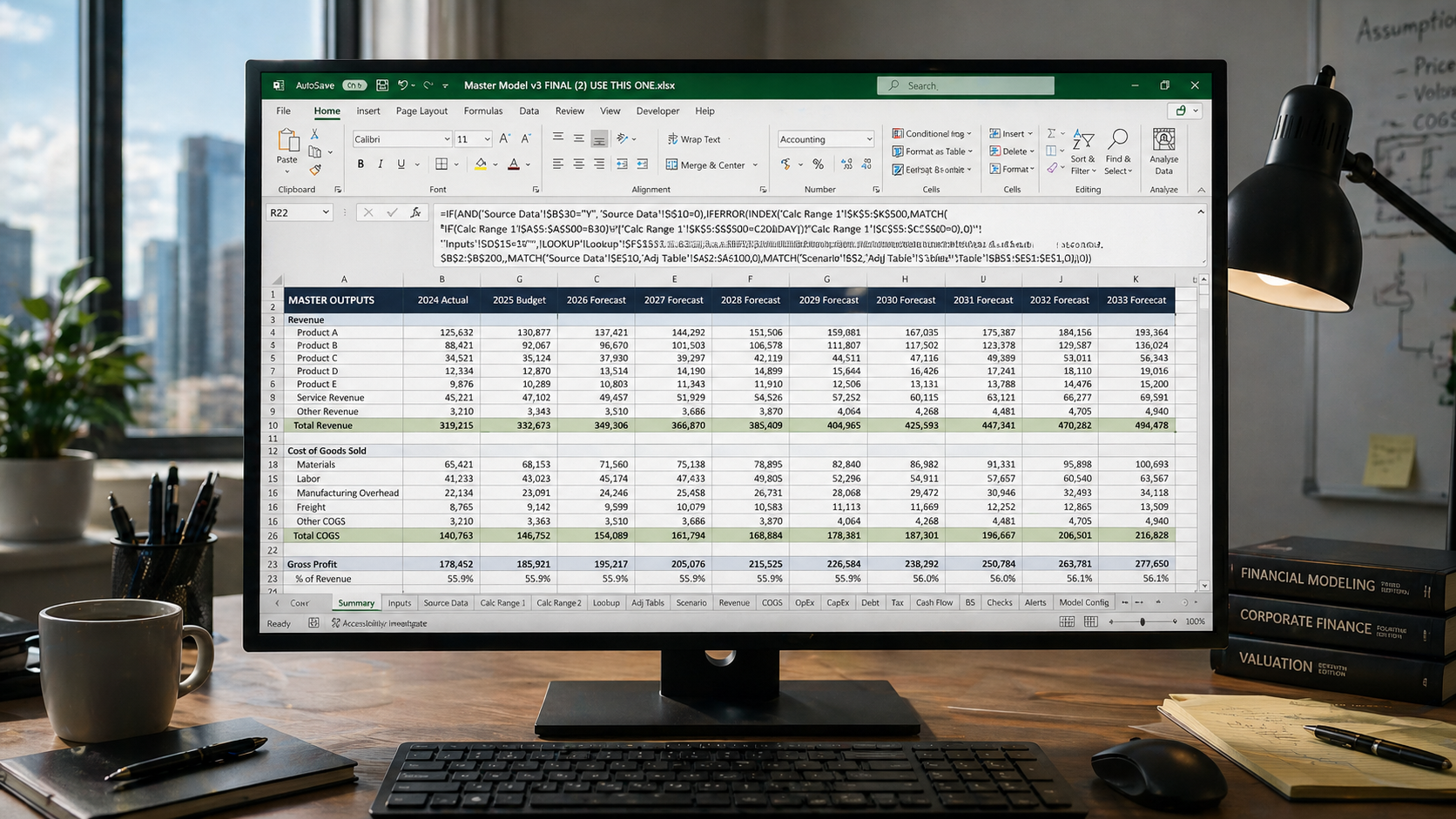
The Black Box Workbook: Why Your Most Trusted Spreadsheet May Be Your Biggest Risk
There is a particular kind of spreadsheet that I encounter regularly in financial services firms.
It is not the spreadsheet that crashes. It is not the one that throws errors, or produces obviously wrong numbers, or causes someone to call IT in a panic.
Those are the ones that get fixed.
The one I am talking about works perfectly. It has been working perfectly for years. Everyone trusts it. No one questions it.
And almost no one can explain how it actually calculates its results.
I call this the Black Box Workbook.
What Is a Black Box Workbook?
The term "black box" comes from engineering and aviation — a system where you can observe the inputs and the outputs, but the internal process is opaque. Something goes in. Something mysterious happens.
Something comes out.
A Black Box Workbook is exactly that. Data enters. A result emerges. The logic in between is invisible, undocumented, and understood — if it is understood at all — by nobody currently in the building.
You probably know the one I mean. It lives on a shared drive (where anyone can edit it, and probably does).
It has a name like:
Master Model v3 FINAL (2) USE THIS ONE.xlsx
Nobody remembers who built the original version. The person who last modified it left the business in 2021. It produces a number — or several of them — that flows into a report that goes to a client, or senior management, or the board.
Everyone trusts the number. Or, at least, believes they can trust the number.
Yet nobody can really explain how it is calculated.
How to Recognise a Black Box Spreadsheet
Black Box Workbooks tend to share a common set of characteristics.
Why It Is More Dangerous Than a Broken Spreadsheet
A broken spreadsheet announces itself. Errors appear. Reports fail to reconcile. Someone raises a ticket. The problem gets investigated.
A Black Box Workbook fails silently.
When something goes wrong — when a lookup range no longer covers all the data, when a hardcoded assumption becomes outdated, when a formula returns a subtly incorrect result — there is no error. There is just an answer. It looks like every other answer the workbook has ever produced.
The failure mode is not a crash. It is a number that is slightly wrong, or wrong in a specific set of circumstances, flowing through to a client report, a regulatory submission, or a board presentation.
I was recently asked to audit a workbook that had been in continuous use at a financial services firm for many years. It had fourteen sheets. Three of them were not just hidden — they were very hidden. (In Excel, "very hidden" sheets cannot be unhidden from the standard sheet tab right-click menu. They require a VBA editor or macro to access.) The figures on the visible sheets were referencing cells on sheets that nobody in the current team knew were there.
It took a full working day to reverse-engineer what the workbook was actually doing.
Nobody had noticed the hidden sheets. Nobody had questioned the outputs. The workbook was trusted because it had always worked — or had always appeared to.#
There is a direct line between a Black Box Workbook and a client-facing error.
How These Workbooks Get Created
It is worth being clear: Black Box Workbooks are rarely designed. They accumulate.
A workbook starts as something sensible. Someone builds a clean model, structured logically, doing exactly what it needs to do. Then the business changes. A new fund launches. A rate changes. An exception needs handling. Someone adds a formula. Someone else adds a sheet. A third person inherits it, does not fully understand it, and makes their own additions carefully — trying not to break whatever is already there.
Over time, the workbook becomes the policy. The logic embedded in the formulas encodes business rules that exist nowhere else. When the people who built those rules leave, the rules remain — but the reasoning behind them does not.
This is how a carefully-built spreadsheet becomes a Black Box Workbook. Not through neglect, but through growth without governance.
What to Do About It
The good news is that Black Box Workbooks are almost always fixable. In my experience, it takes less time to rebuild one properly than most people assume — and significantly less time than dealing with the consequences of a silent failure.
A proper rebuild involves four things.
None of this requires exotic tools or complex techniques. It requires discipline, and time set aside to do it properly.
The Question Worth Asking
Every financial services firm I have worked with has at least one Black Box Workbook. Usually more.
The question is not whether yours exists. The question is whether you know which one it is before something goes wrong — or after.
If you have a workbook in your business that fits this description — one that everyone uses, everyone trusts, and nobody fully understands — that is exactly the kind of problem Excel on Tap exists to solve.
0 comments